
Name-Based Case Searches
Wisconsin Circuit Court, Walworth County records sit behind the free WCCA simple case search. No login is required. Type Walworth into the County field. Then enter a last name to begin a docket search. Hold back extra details at first, since a strict spelling, a middle name, or a date of birth can bury a match that is really there.
- Select Walworth from the County list.
- Enter the party's last name, then add a first or middle name to narrow a long result list.
- Use the missing-middle-name option when records may omit that part of the name. Use a date of birth only with a party name.
- For an entity, use Business name rather than guessing which person appears in the caption.
- Open a likely result and compare the case number, type, filed date, branch, status, and party role.
The official form offers a set list of search fields. Keep a private person's full date of birth out of examples and share it no more widely than the lookup truly needs.
| Field | Type | Required | Use |
|---|---|---|---|
| County | Dropdown | No | Select Walworth for a county-bounded search. |
| Case number | Text | No | Enter the full Wisconsin court identifier. |
| Last, first, middle name | Text | No | Use narrow spelling first, then broaden. |
| Date of birth | Date | No | Format MM-DD-YYYY and pair with a name. |
| Business name | Text | No | Search an entity as an alternative to a person. |
| Search / Reset | Button | Action | Submit or clear the criteria. |
Walworth County WCCA Search Inputs
Wisconsin runs two separate search systems for court records. Circuit court matters cover Walworth County cases. Appeals go through a different route. Picking the wrong system means a docket search that turns up nothing. Start at the state case-search page. It sends Walworth County circuit matters to WCCA and directs appeals to the appellate side.
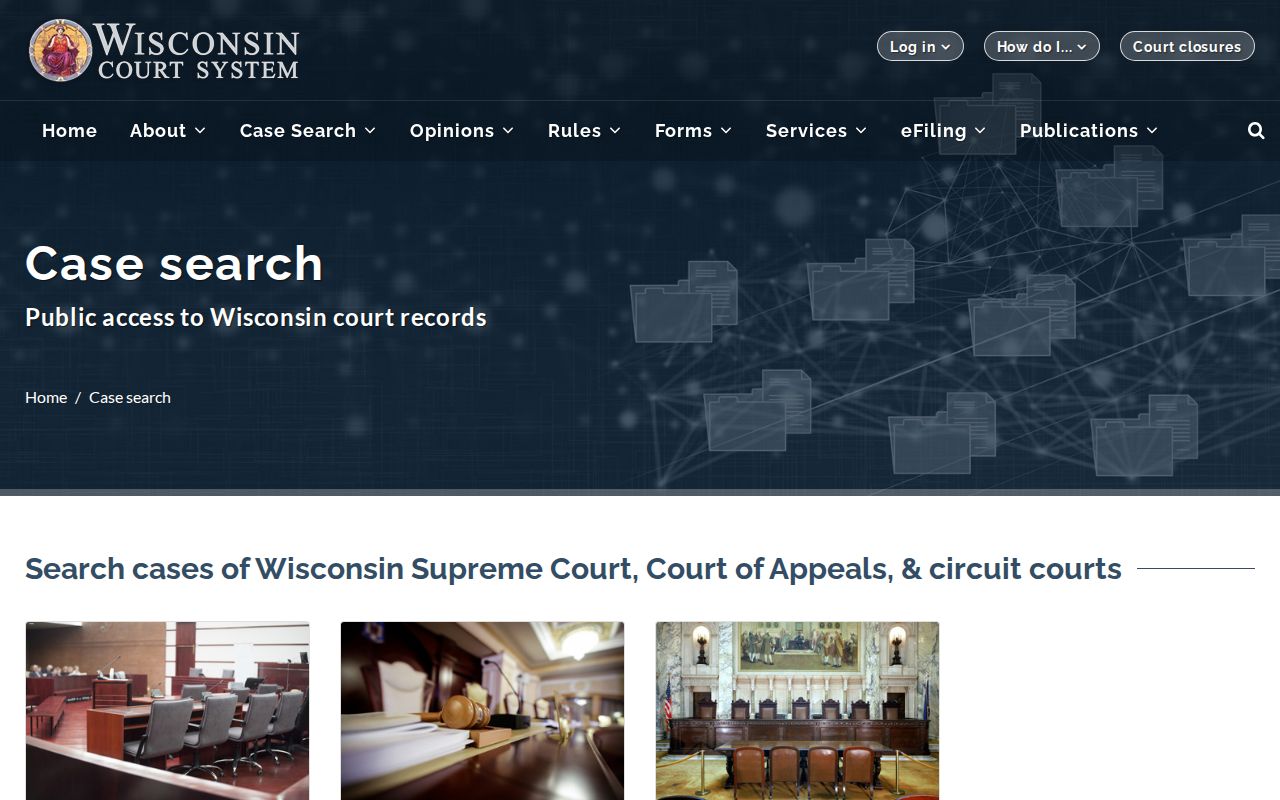
WCCA covers public circuit case summaries only. It will not reach every Walworth County municipal court. It also has no tie to the federal PACER system. An ordinance citation belongs to the issuing city, so search that city for it. For a Wisconsin Court of Appeals case, go to the appellate database instead.
Case Number Searches
For a fast Walworth County docket search, nothing beats a full case number. Wisconsin circuit numbers stitch together the filing year, a two-letter category, and a zero-padded sequence. A civil file might read 2024CV000001, while a felony file looks like 2024CF000001. Copy every zero and letter exactly.
The two-letter labels tell you what kind of case you hold. CF means felony, and CM means misdemeanor. CT means criminal traffic, and CV means civil. SC means small claims. FA means family, and PR means probate. Trust the label printed in the official record rather than a guess. Be careful with look-alikes, though. A citation number and a district attorney case number are not the circuit case number. WCCA advanced search gives each of those its own field.
When the exact number flops, ask whether it came from the right court. A municipal citation, a federal docket number, an appellate number, and an agency report number do not share one system. Each follows its own. If you know the party, the approximate year, and the case type, ask the Walworth County Clerk of Circuit Court. The clerk can help track down the circuit file.
Walworth County Case Numbers Differ
The WCCA advanced search lets you pull a case-number range by year and type. Set your own start and end points. That is only the beginning. The same page adds filters for case type, status, filing and disposition date ranges, class code, attorney number and type, citation number, DA case number, offense dates, and issuing agency. Anyone running a Walworth County docket search can narrow results with these fields before the results ever load.
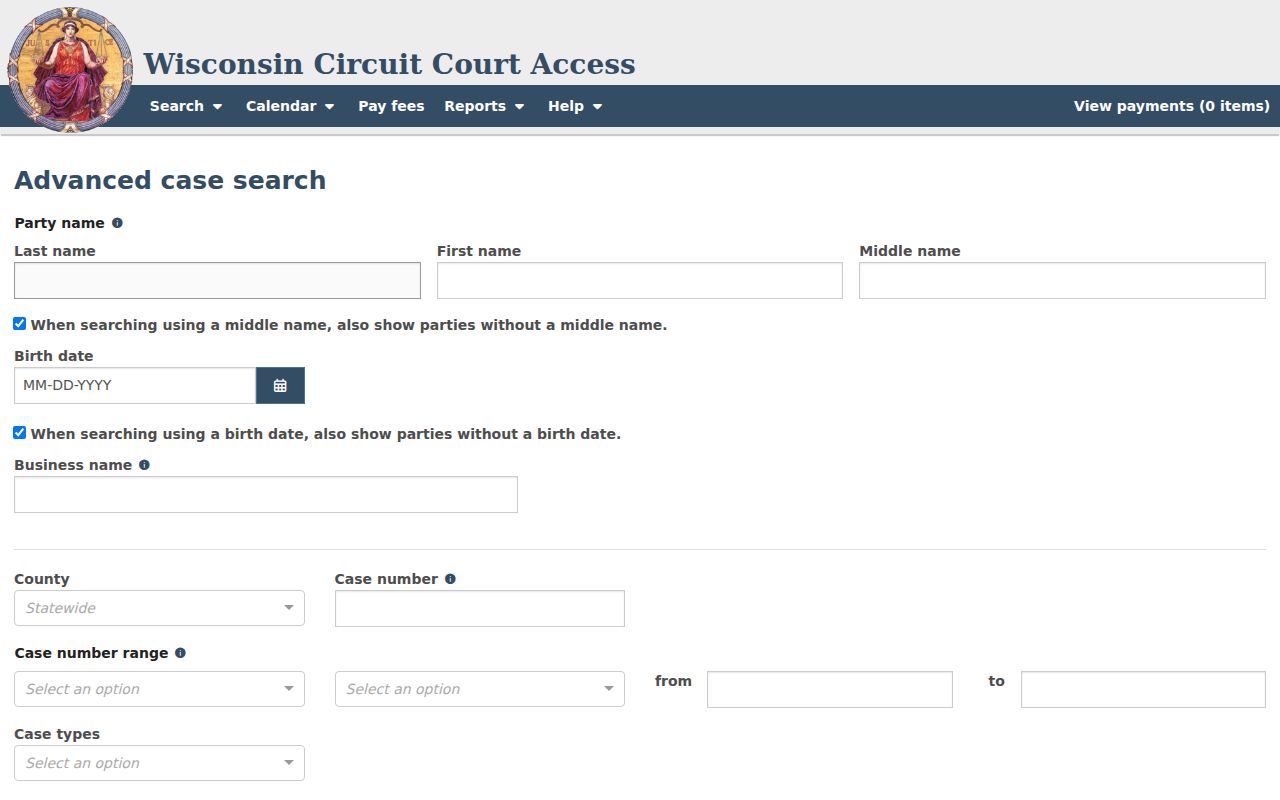
The official help sets one limit. A filing-date range can span no more than 30 days. WCCA also renders its lists dynamically. Go by the labels it shows now, not an old list saved from a past search. Advanced criteria shine when you know the filing window or hold an identifier. They will not tell you whether the matter actually belongs in circuit court. Make that check first.
Case Search Results Explained
Before you read the event list on a Walworth County WCCA result, look at the header. It tells you the case landed in the right county, the right case type, and the right branch. Once that checks out, the events below it form the register of actions for the case.
| Case number | The unique circuit identifier, such as 2024CV000001. |
|---|---|
| Case type and status | The Wisconsin category and current open, closed, or other displayed state. |
| Filing data | Walworth County, filing date, branch, judge, or commissioner when shown. |
| Parties | Public names, roles, attorneys, and representation fields when available. |
| Court events | Dates, times, event types, settings, results, and later changes. |
| Register entries | Event date, docket text, filing or order title, filer, and disposition references. |
| Financial fields | Fines, fees, costs, balance, payment status, or judgment references when public. |
Quote a status word for word. "Filed" only tells you paperwork exists; it proves nothing about any allegation. "Disposed" means the court has recorded an outcome, but you still have to read the disposition entry itself to learn what that outcome was.
Walworth County Search Update Timing
WCCA posts new case summaries once an hour. The system goes down for maintenance roughly 3 to 4 a.m. Central. An hourly upload is not instant. A paper filed minutes ago may not show yet. Clerk processing, older case conversions, and county practice all shape how much detail appears.
If today's filing is missing, save the case details you have and check again later. A hearing coming up soon? Call the docketing and records line at 262-741-7063 rather than refreshing the page again. For help in person or by mail, the Walworth County Clerk of Circuit Court sits at the Judicial Center, 1800 County Trunk NN, Elkhorn, with mail addressed to PO Box 1001.
Note: A gap of one day usually means processing lag. A case missing for weeks may belong to another court or carry an access restriction.
Two Ways to Search: County and State
WCCA is a statewide circuit court search at heart, with a County filter built in. Choosing Walworth narrows the results to cases filed in Walworth County circuit court. Drop the filter and the docket search spans every Wisconsin circuit county, which helps when you are unsure where the case was filed.
| Walworth-filtered WCCA | Statewide WCCA |
|---|---|
| Limits results to Walworth County circuit filings. | Checks participating circuit records across Wisconsin. |
| Best when the filing county is known. | Best when the party is known but the county is uncertain. |
| Does not include every city municipal case. | Still does not become a universal municipal search. |
| Uses the same free case-summary system. | May yield more same-name results to compare. |
Wisconsin keeps its appellate dockets in a separate database. That one covers the Court of Appeals and the state Supreme Court, while federal cases require PACER instead. Probate research adds another wrinkle: the Walworth Register in Probate holds its own index records, with older and newer files reached through in-office or mailed search channels.
Walworth County Municipal Search Boundary
Picking Walworth in WCCA will not sweep in the municipal courts. Every city, village, and town court keeps its own files. Traffic cases, parking tickets, ordinance violations, and forfeitures all stay there. The state counted 15 Walworth municipal venues in 2024. Several skipped reporting in some quarters.
Watch the jurisdiction line closely. A City of Delavan ticket is a different case from a Town of Delavan ticket. Whitewater, Elkhorn, Lake Geneva, and Delavan all post local court contacts. But Walworth County has no single public portal covering every municipal docket. So begin with whichever municipality wrote the citation. That clerk can tell you the hearing date. You can ask about the plea status, the payment record, or how to see the public file.
Walworth County Public Search and eFiling
WCCA gives the public a summary view of a Walworth County court docket. That is all it gives. The pleadings, exhibits, orders, and transcripts behind those entries are not displayed there. They are not sold there either. For those court records, ask the Walworth County clerk. Expect an access review, and plan on copy charges.
eFiling works differently. Attorneys and parties with accounts can see document names, processing status, party links, and whatever documents are viewable. A document name shown in black may be restricted or simply unavailable. So treat eFiling as a tool for case participants, not a public document-search shortcut.
WCCA also runs separate searches for judgments and liens. Those routes can flag a possible entry. But WCCA itself warns that the official judgment or lien docket stays with the clerk. Need a clerk-certified record? Request it from the office. Don't rely on a search screen as the official docket.
Which Cases Stay Restricted
Some Walworth County files never show up in a docket search. Wisconsin law keeps juvenile matters under tight limits. Sealed cases, confidential filings, protected parties, and protected identifiers can be left out or redacted. State protection guidance also covers certain people. It keeps victims, citizen witnesses, jurors, and certain addresses off the public court docket.
What if your case lookup comes back empty? That result proves nothing. The file might sit in municipal, probate, appellate, or federal court. Or it may simply predate electronic conversion or still be in processing. Bring the case number to the right clerk. Or bring the few facts that narrow things down. Ask whether a public summary, a redacted copy, or an in-person look at the court records is possible.
One more distinction matters. The Wisconsin court protection FAQ notes that WCCA may list parties, dates, filings, and orders. The actual documents stay at the clerk's office. A motion to seal or redact is decided by the court. The search portal never makes that ruling.